For a generation of Armenian computer users, KDWin was how you typed Armenian. Office machines, university labs, most home PCs in the country. People still search for it by name.
The program still exists and still runs, and almost nobody needs it any more. Most of what gets handed out under its name today is something else entirely, which is the part worth knowing before you download anything.
What is KDWin
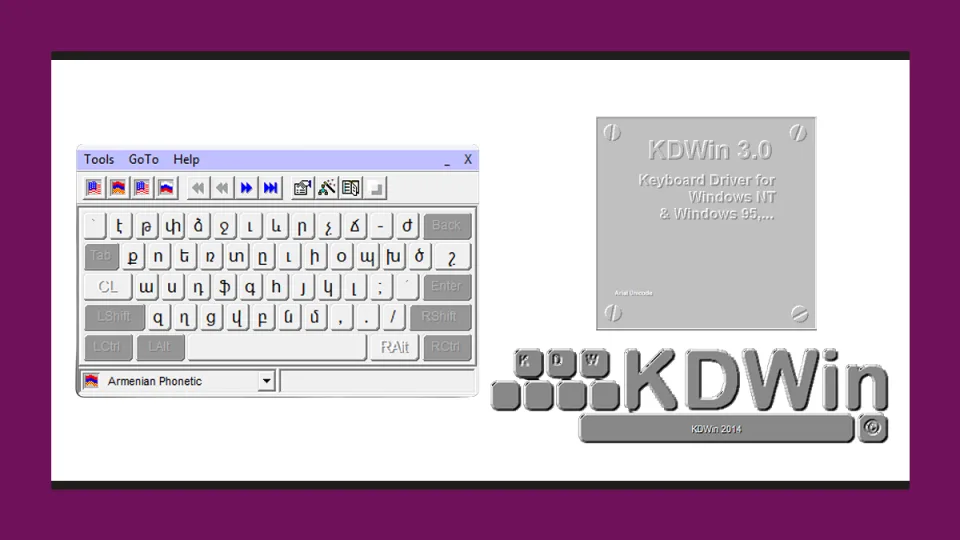
KDWin is a keyboard driver for Windows. Back when Windows could not type Armenian on its own, that job needed a separate program sitting between the keyboard and everything else. KDWin added Armenian layouts, one of them phonetic, with each Armenian letter on the Latin key that sounds like it. It switched between Armenian, Russian and English from a tray icon, and it worked with the fonts of the time.
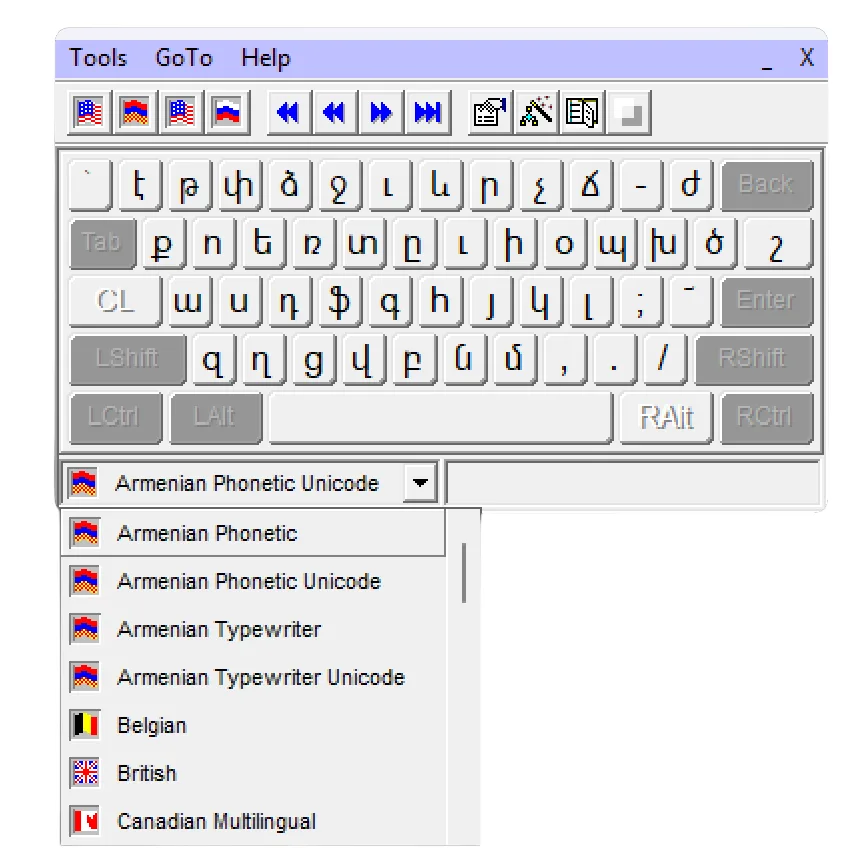
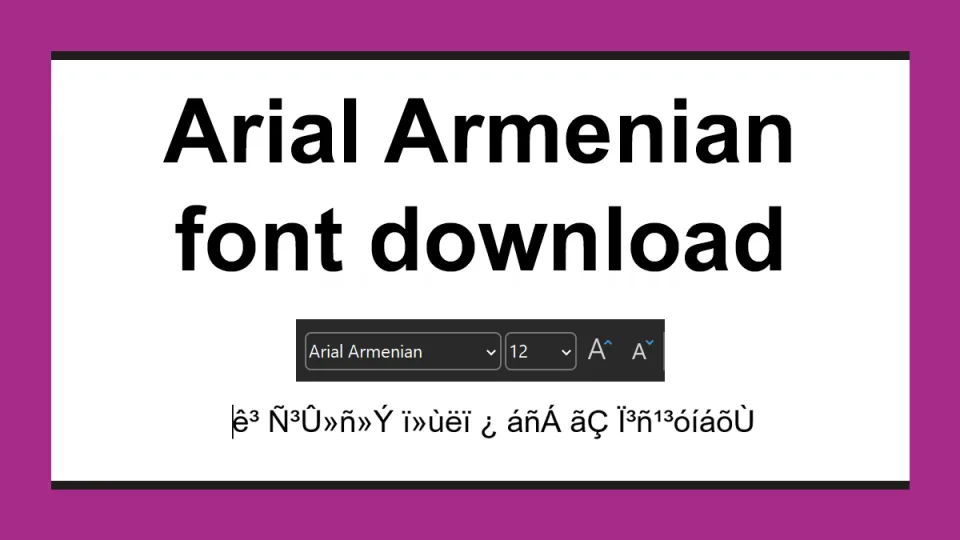
That dropdown holds the whole problem. Armenian Phonetic and Armenian Typewriter type in the old ArmSCII encoding, readable only in a matching font, Arial Armenian above all: KDWin sent out byte values, the font drew Armenian shapes for them, and on that one computer it looked perfect. To everything else the document was never Armenian, only a run of numbers. The Unicode versions of those same layouts type the encoding every computer, phone and website uses today. Same keys, completely different output, which is why documents from those years now open as гۻñ»Ý ï»ùëï. Our ArmSCII to Unicode converter turns text like that back into readable Armenian in seconds.
KDWin History
KDWin was created by Rafik Marutyan, who had been working on it since the early 1990s. We could not find release dates for the 1.x versions, but they came before KDWin 2 in 1997.
Marutyan was born in Baku in 1963. He studied mathematics in Yerevan, then took a doctorate in mathematical sciences in Moscow, at the Institute for Information Transmission Problems. He published his software as Very Easy Soft, and KDWin was not all of it: WinDict, his multilingual dictionary, translated any word on screen with a double click. He was one of the people who built Armenia's software industry.
KDWin 2.06 came out in February 1997 for Windows NT and Windows 95, went by the name KDWin 95, and is the earliest version we could find a copy of. The date comes from the metadata on the installer's files.
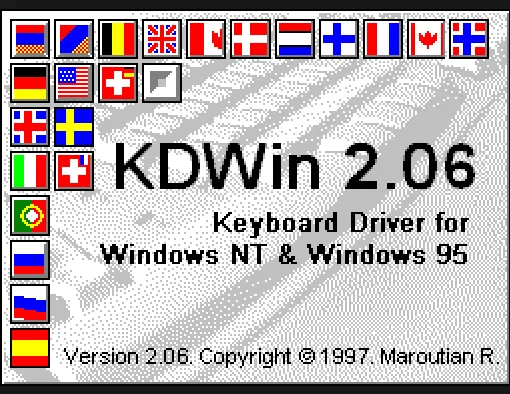
KDWin 3.01 followed in 2000, covering Windows 95, 98, ME, 2000 and XP. Most people who remember KDWin are remembering this one.
KDWin 2010 brought it to Vista and Windows 7. Separate 32-bit and 64-bit builds, and a proper help file.
KDWin 2014.06, released on 26 June 2014, was the last. It covered Windows XP through Windows 10 on both Win32 and x64, carried layouts for Armenian, Russian, English, French, Italian, German and a number of other languages, and included Text Convert, a utility for moving text between the OEM, ANSI and Unicode encodings and between ANSI and Unicode TrueType fonts.
By the 2000s KDWin was on more or less every computer in Armenia. Offices, universities, internet clubs, homes. The computer industry of the day had simply not accounted for the Armenian alphabet, and KDWin is a large part of the reason a whole generation could use a computer in their own language anyway.
The Latest KDWin Version as of 2026
KDWin 2014.06 is the last version, and it will stay the last version. Sadly, Rafik Marutyan passed away later that same year, aged 51, after a long illness, and nobody took the project on after him.
The official KDWin site is still online at veryeasysoft.com/kdwin, offering the same two downloads it always has, KDWin 3.01 and KDWin 2014.06.
Which means anything with a newer number is somebody else's work wearing his name. Here is every version number people go looking for, and what is actually behind it.
| Version | What it is |
|---|---|
| KDWin 2.06 | Real. February 1997, Windows NT and 95. |
| KDWin 3.01 | Real. 2000, Windows 95 through XP. |
| KDWin 2010 | Real. Windows Vista and 7. |
| KDWin 2014.06 | Real, and the last one. Windows XP through 10. |
| KDWin 3.0, 3.1 | No release with that number is recorded anywhere, on the author's site or off it. |
| KDWin 2003, 2007, 2012, 2013 | Same. Nothing was published in those years. |
| KDWin 4.0 | Fake. An old build renamed, usually repackaged with other software. |
| KDWin 2015, 2016, 2017, 2018, 2019, 2020 | Fake. Marutyan was gone before any of them, so none of them are his. The 2018 is the one on kdwin.ru. |
A version number above 2014 tells you the packager has nothing to do with KDWin. Skip them.
KDWin 2018 from kdwin.ru Is Fake and Dangerous
It is an unofficial site, and there was never a KDWin 2018. The file it hands out is flagged on VirusTotal by 35 of 67 engines, as adware and trojan. Installing it is a bad idea.
kdwin.ru comes up first for most KDWin searches and looks the part. The real home is veryeasysoft.com/kdwin, where the newest version on offer is still 2014.
Size gives it away. The genuine 2014 installer is about 2 MB. The kdwin.ru download is 12 MB, and the extra weight is adguardinstaller.exe sitting in the archive, plus whatever else the setup pushes on the way through, Yandex Browser included.
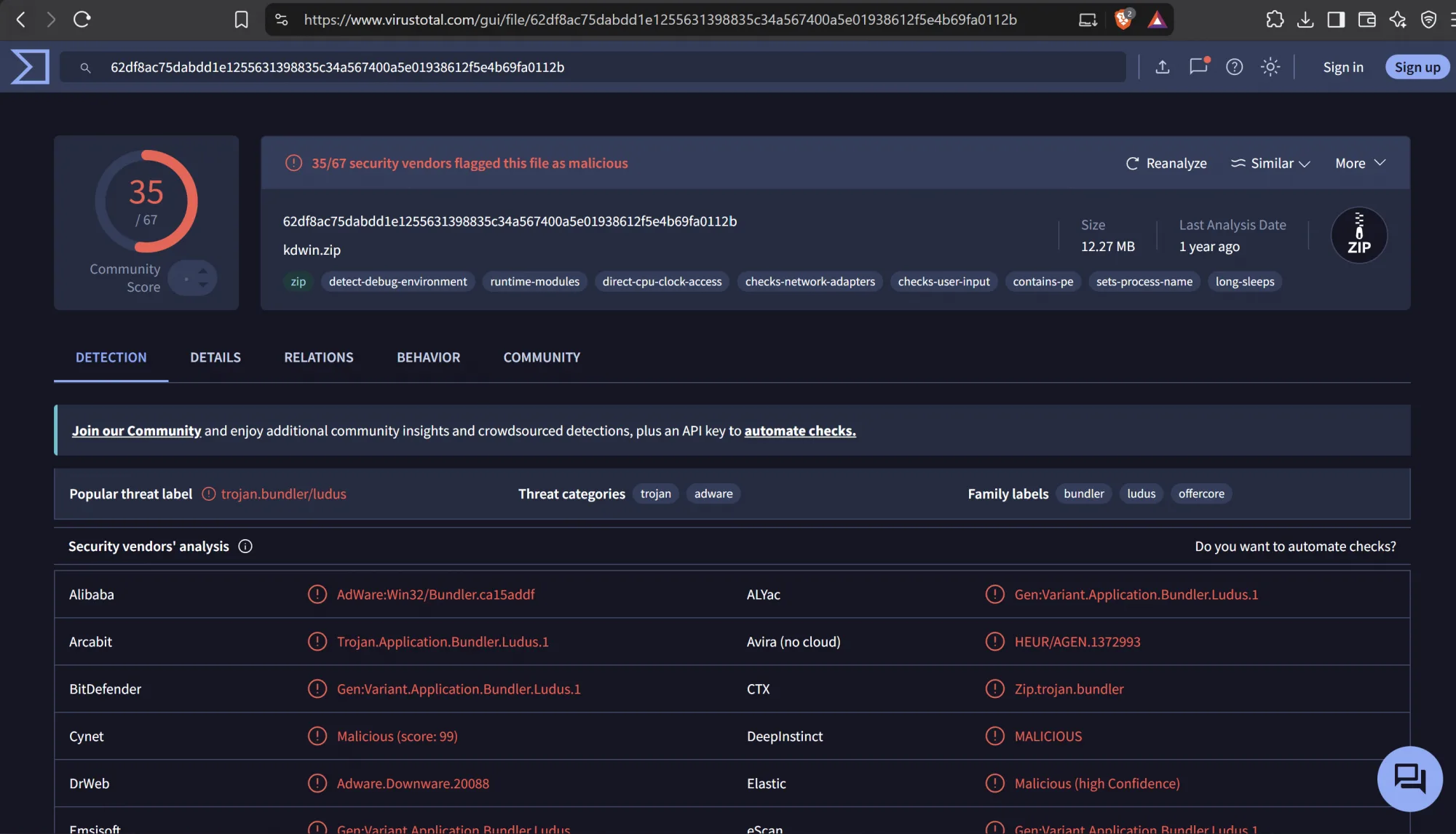
VirusTotal puts 35 of its 67 engines against the file, as adware and a trojan.
Already run it? Scan the machine, and change any password you have typed since.
KDWin alternatives in 2026
Windows has Armenian keyboards built in. Nothing to download, nothing to install. Add one under Settings → Time & language → Language & region, then switch with Win + Space. Pick Armenian Phonetic, the closest of the built-in layouts to what KDWin users remember, though a few keys will still catch you out.
We Recommend To Use Armenian Phonetic Eastern Unicode
It is a free layout published by network.am, based on the arrangement developed by hy.am, and the closest thing there is to the KDWin phonetic layout. It also fixes two things the built-in layouts get wrong:
- The dram sign ֏ and the «» quotation marks sit on the keyboard, where you can actually reach them.
- Ctrl + Alt (or Alt Gr) types the Latin letters and symbols without switching layout at all, which is the habit most KDWin users have.
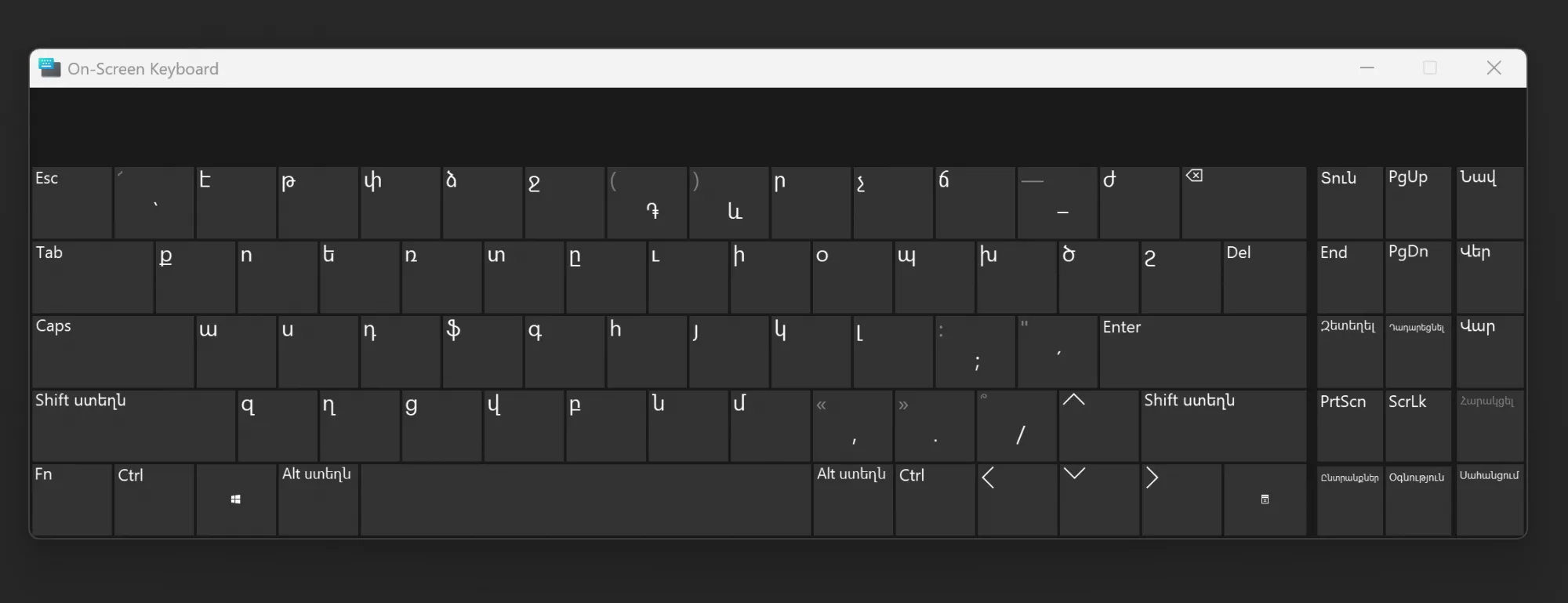
It works on Windows XP and everything newer, and switches with Win + Space like any other layout. Being a layout file, all it does is tell Windows which character each key produces. Nothing sits in memory watching you type.
Download Armenian Phonetic Eastern Unicode from network.am
If You Have Old KDWin Documents
They can be repaired. ArmSCII is a documented standard with a fixed mapping, so text typed with KDWin and an ArmSCII font converts to Unicode cleanly.
Open the ArmSCII to Unicode converter
Paste the text, or upload the Word or Excel file. Formatting survives. Legacy font names inside the document get replaced too, so the result reads correctly straight away.
Convert the documents that still matter, and the last reason to keep KDWin around disappears.
The Short Version
- KDWin let you type Armenian back when Windows could not, and by the 2000s it was on nearly every computer in Armenia.
- KDWin 2014.06 is the last real version. Its author died that year, so there will not be another.
- KDWin 4.0, 2015, 2016, 2017, 2018, 2025 and 2026 are all fake, and the kdwin.ru one carries adware.
- Windows has Armenian layouts of its own, and Armenian Phonetic Eastern Unicode is the closest to KDWin.
- Old KDWin documents do not need the program. Convert them instead.
Download KDWin 2014, 2010, 3.01 and 2.06
- KDWin 2014.06 (.zip, 2.2 MB) — recommended. The last version, and the one to use unless it refuses to run. Check on VirusTotal
- KDWin 2010 (.zip, 2.1 MB) — one step older. Try it if 2014 will not install. Check on VirusTotal
- KDWin 3.01 (.zip, 1.1 MB) — recommended for older machines, meaning Windows 95, 98, ME, 2000 and XP. Check on VirusTotal
- KDWin 2.06 (.zip, 0.9 MB) — from 1997, for Windows NT and Windows 95. Only worth trying if nothing above will run. Check on VirusTotal
One engine out of more than sixty flags KDWin 3.01 as Trojan.Malware.300983.susgen. The susgen part means the scanner saw a pattern it did not like and could not put a name to, and twenty-five-year-old InstallShield packages set that off all the time. Every other engine passes the file, which is byte for byte the one on the author's own site. One hit out of sixty and thirty-five out of sixty-seven are different findings. Use the links above and judge for yourself.
These are unsigned keyboard drivers, the newest of them twelve years old, so everything above still applies. On a computer you actually use, add the Armenian layout Windows already has instead.
Which Windows Versions KDWin Works On
| Your Windows | Which build |
|---|---|
| 11 | No official support. The author never saw Windows 11, and a 2014 unsigned driver is a poor bet on it. Use the built-in Armenian layout. |
| 10 | KDWin 2014.06. |
| 8 and 8.1 | KDWin 2014.06. |
| 7 | KDWin 2014.06, or KDWin 2010 if the 2014 installer refuses. |
| Vista | KDWin 2010. |
| XP | KDWin 2014.06, or KDWin 3.01. |
| 2000, ME, 98, 95 | KDWin 3.01. |
| NT | KDWin 2.06. |
Both 2010 and 2014 install 32-bit and 64-bit builds, so 64-bit Windows is fine. From Windows 8 onwards the built-in Armenian layout does the same job with none of the risk, which is what we would use.
When KDWin Will Not Start
"KDWin MFC Application has stopped working." That dialog is Windows telling you KDWin crashed on startup. If you installed one of the repackaged builds, swap it for KDWin 2014.06 from the downloads above, even though yours carries a higher number: a "KDWin 2019" is an older program with a newer label on it, and 2014 is the newest one that exists. If 2014 crashes too, no patched build is coming, because there is nobody left to make one. Use the built-in Armenian layout instead.
"KDWin is already running." It permits one instance at a time. The first is usually still sitting in the notification area, or has been left behind as a stale process. Open Task Manager, end KDWin32.exe or KDWin64.exe, then start it again.
It installs, but you still get Latin letters. Check that you actually switched layout, with Win + Space or from KDWin's own tray icon. If the layout is right and the letters are still Latin, reinstall it and restart the computer. And if the text looks Armenian on your screen but reaches everyone else as gibberish, you are on the plain Armenian Phonetic layout, which writes the old ArmSCII encoding: switch to Armenian Phonetic Unicode and put what you have already written through the converter.
KDWin for Mac, Android and Online
KDWin is a Windows program. There has never been a Mac, iPhone or Android version, and there will not be one now.
You do not need one. Armenian keyboards are built into every current system:
- macOS: System Settings, then Keyboard, Input Sources, add Armenian.
- iPhone and iPad: Settings, General, Keyboard, Keyboards, Add New Keyboard, Armenian.
- Android: open your keyboard app's settings, Languages, and add Armenian.
Searching for KDWin online usually means one of two things. To type Armenian without installing anything, use the keyboard your system already has. To repair old text, our converter runs in the browser and needs no install at all.